The order pickup code in a showroom
A short code printed next to the customer, scanned at the till and shown on the screen. The flow, the printer you need and how to reprint documents.
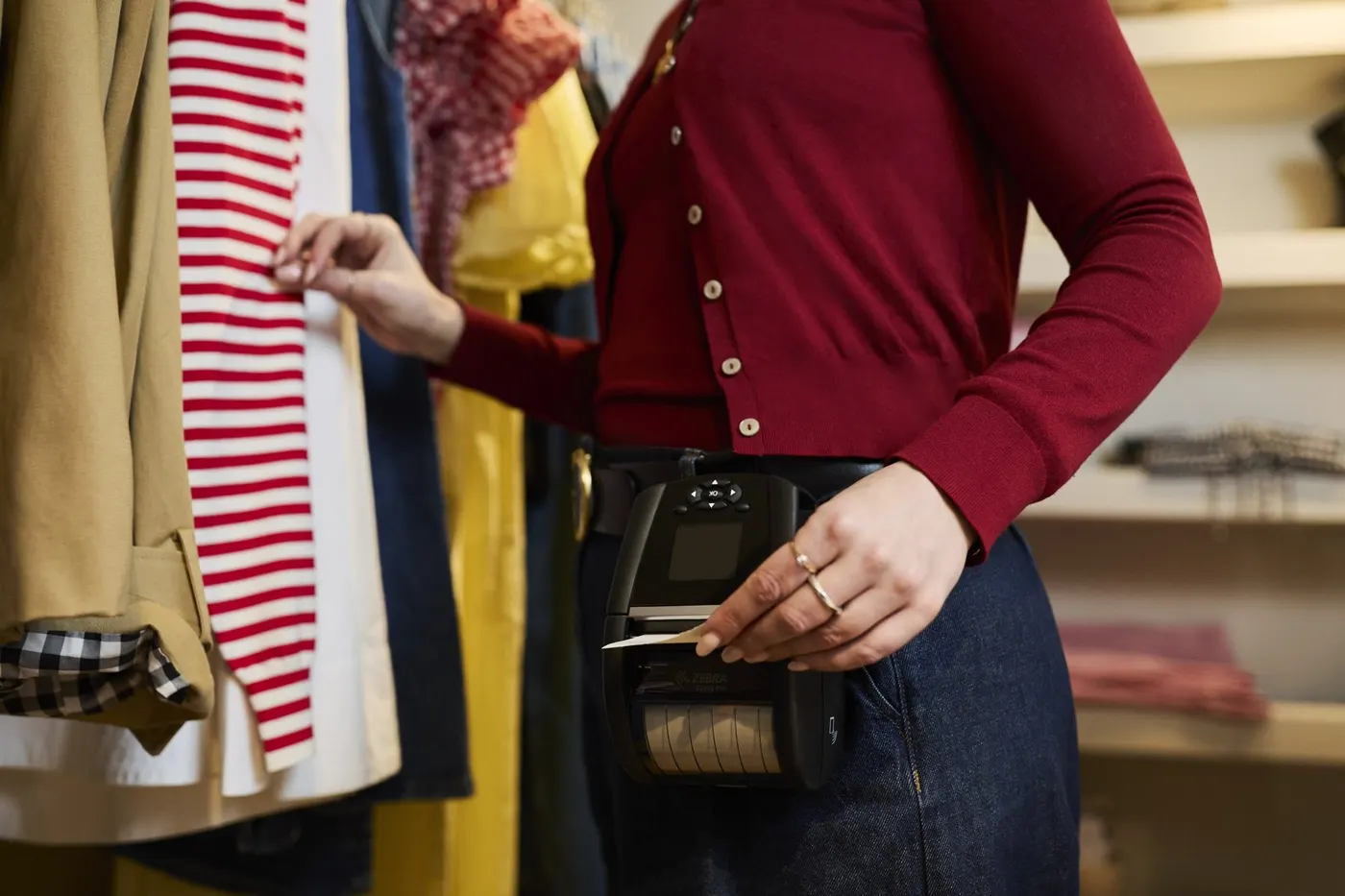
The order pickup code is the thread that ties together every stage of a showroom order: the consultant, the warehouse, the customer screen, the till and the ERP system. It is short, unique to each order and printed on the spot with a barcode, ideally on a mobile label printer that the consultant carries.
Below you will find what the code does at each stage, what equipment you need and how the documents that go with the order are handled.
What the code is and where it comes from
Once the consultant has chosen the products, quantities and customer, the order is issued and automatically receives a short code, for example 000893 (an example). Nobody has to invent it and it does not repeat between orders.
If you wish, the code is printed straight away with a barcode. The customer gets a slip and knows that from now on everything runs on this code.
Where the code travels
- 1
Order
The consultant issues the order and it receives the code.
- 2
In the ERP
The order goes to the ERP system together with the pickup code.
- 3
Picked
The warehouse prepares the goods and the ERP sends the "ready" signal.
- 4
On screen
The same code appears on the customer screen.
- 5
At the till
The code is scanned or typed and the order becomes a fiscal receipt.
- 6
Paid
The payment status returns to the ERP.
Nobody retypes the code by hand: it travels through the system from start to finish.
At the till: scanned or typed
The cashier scans the barcode on the slip, or types the code if the slip is smudged or the scanner cannot read it. The products and prices of the order load by themselves. More about this step is on the checkout and payment page.
Which printer to use
For the slip to come out next to the customer you need a mobile printer connected to the consultant's terminal. For a pickup code printed on the spot, the Zebra ZQ series is recommended (ZQ220 Plus, ZQ310 Plus, ZQ320 Plus, ZQ511, ZQ521). Available models are in the mobile printers catalogue, and for use in the warehouse and on delivery see mobile printing in the warehouse and on delivery. The choice also depends on the terminal; the article the right mobile printer for your terminal helps you pair them. Check exact specifications (slip width, connectivity) on the product pages. For the terminal itself, see the consultant's mobile terminal.
If your showroom also has a fixed printing point, a mobile printer is not mandatory: the code can be printed on the showroom printer.
Documents that go with the order
The code also starts the document side. For orders with a paper invoice, a print task appears on the terminal right after picking. With one gesture the ERP prints the document set on the printer defined there. No task is created for an electronic invoice.
The print task
It appears on the terminal by itself after picking.
The ERP prints
One action on the terminal and the documents come out on the ERP's printer.
Reprint
From the order card or from the terminal, by code or from the day's order list.
Every print and reprint stays in the log: who, when and with what result. Documents are not forgotten and not printed twice without a trace.
If a customer loses the slip, the order can be found by code in the order list, or by customer, in the web interface.
Would you like to see the code on a test order? Request a demo.
Read next
Articles
How to organize sales by samples in a showroom
From the sample on the floor to the ERP order: what is scanned, what the consultant sees, where errors usually creep in and how to avoid them.
Read more →Showroom software: a selection checklist
Ten questions to put to any vendor before you choose showroom software: from the sample to the till, with the ERP system and the customer screen in between.
Read more →Terminal or tablet: what to choose for consultants
Built-in scanner, battery for a full shift, screen, ruggedness: what to choose for showroom consultants, a terminal, a tablet or a phone.
Read more →See the solution on your own order flow
A 30-minute conversation about your real showroom and warehouse processes, with no generic slides.